Remove Action
The Remove Action is used when we need to remove a specific object from the scene using our hands or a tool.
To generate a Remove Action you need an interactable item with an “Interactable Prefab Constructor” component which the user will have to remove, and (optionally) a hologram.
Interactable Item
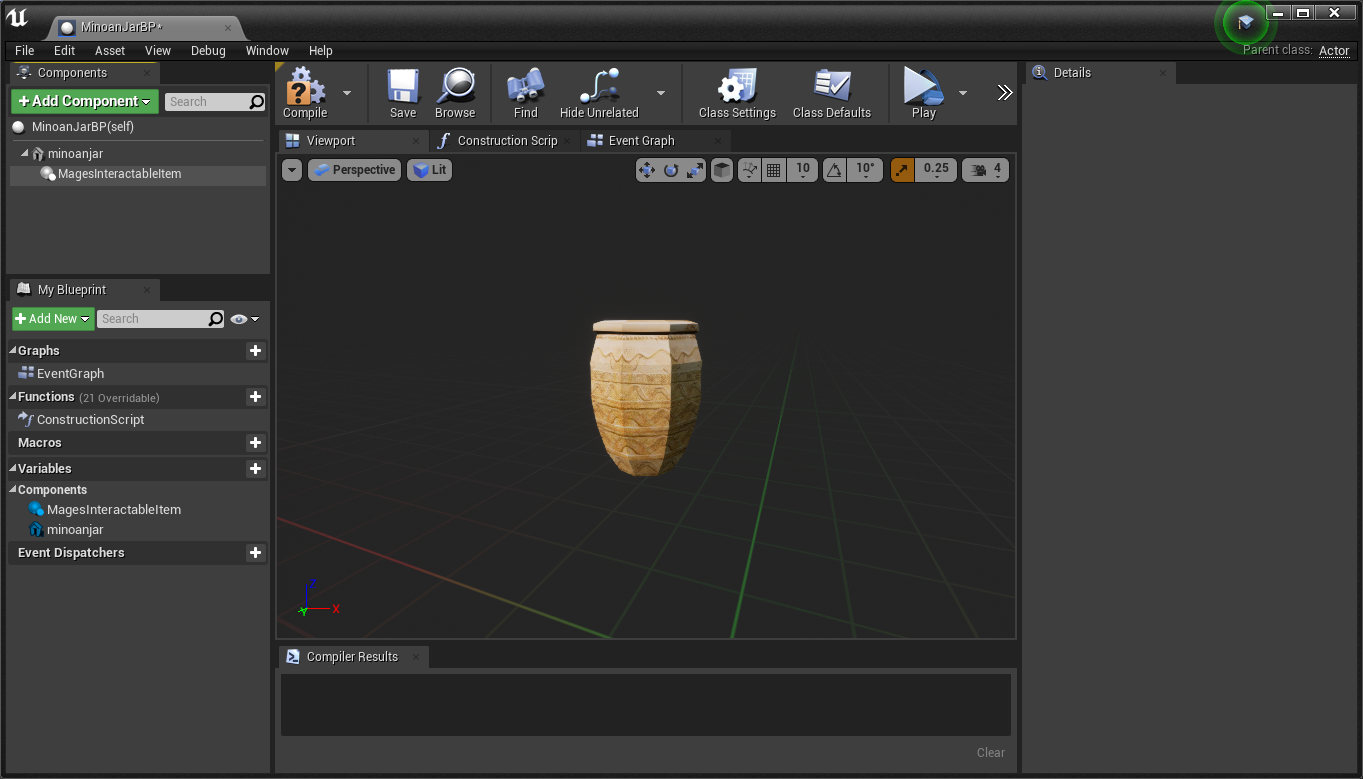
Create a new actor, and add the Mages Interactable Item component under the primitive where it should attach to upon user interaction:
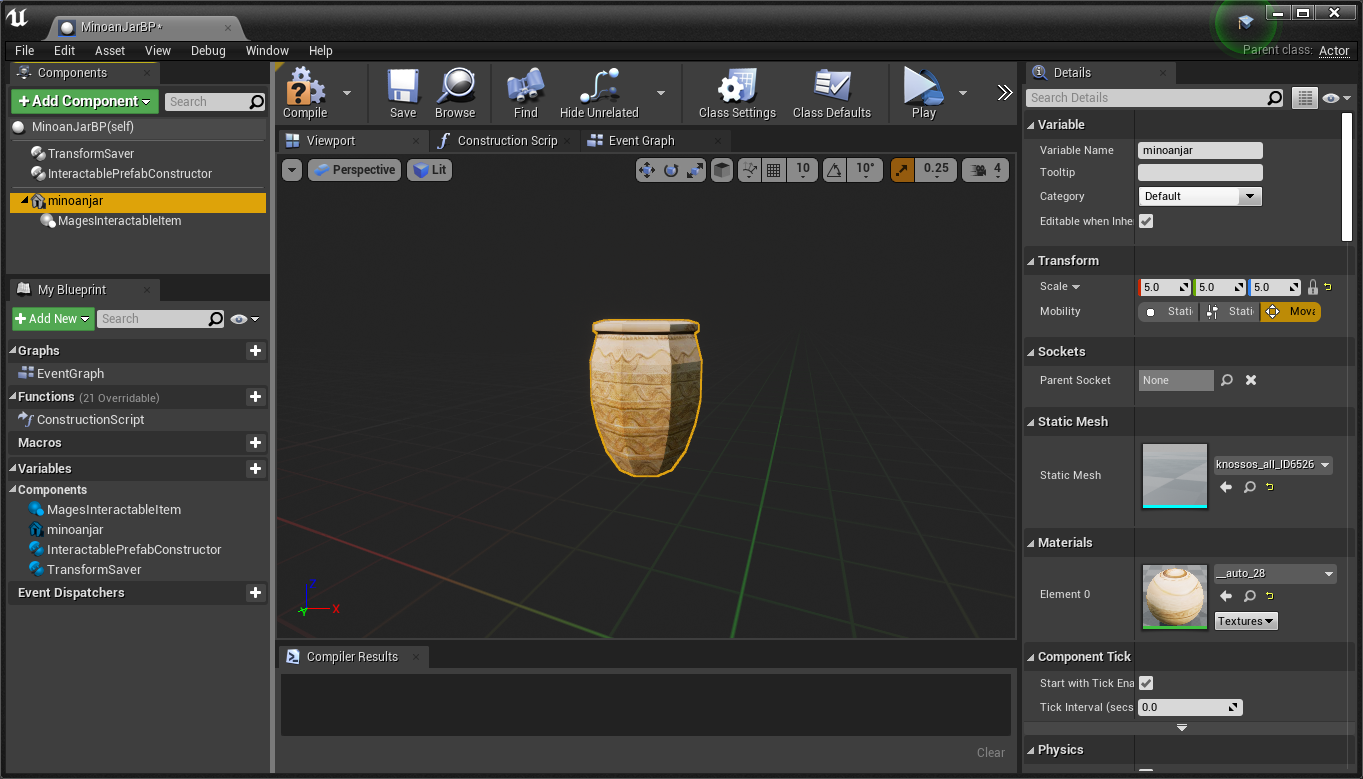
Add the Interactable Prefab Constructor component and the Transform Saver components:
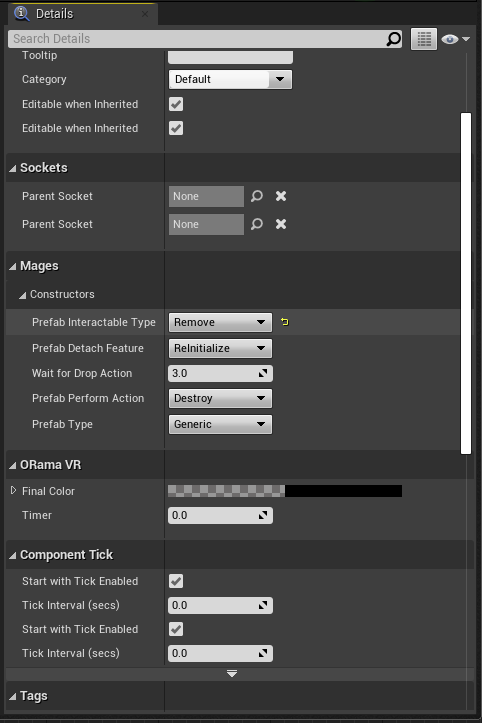
The only configuration needed is to set the Prefab Interactable Type to Remove, under the Mages/Constructors category.
Compile and save the blueprint, then place it into the scene.
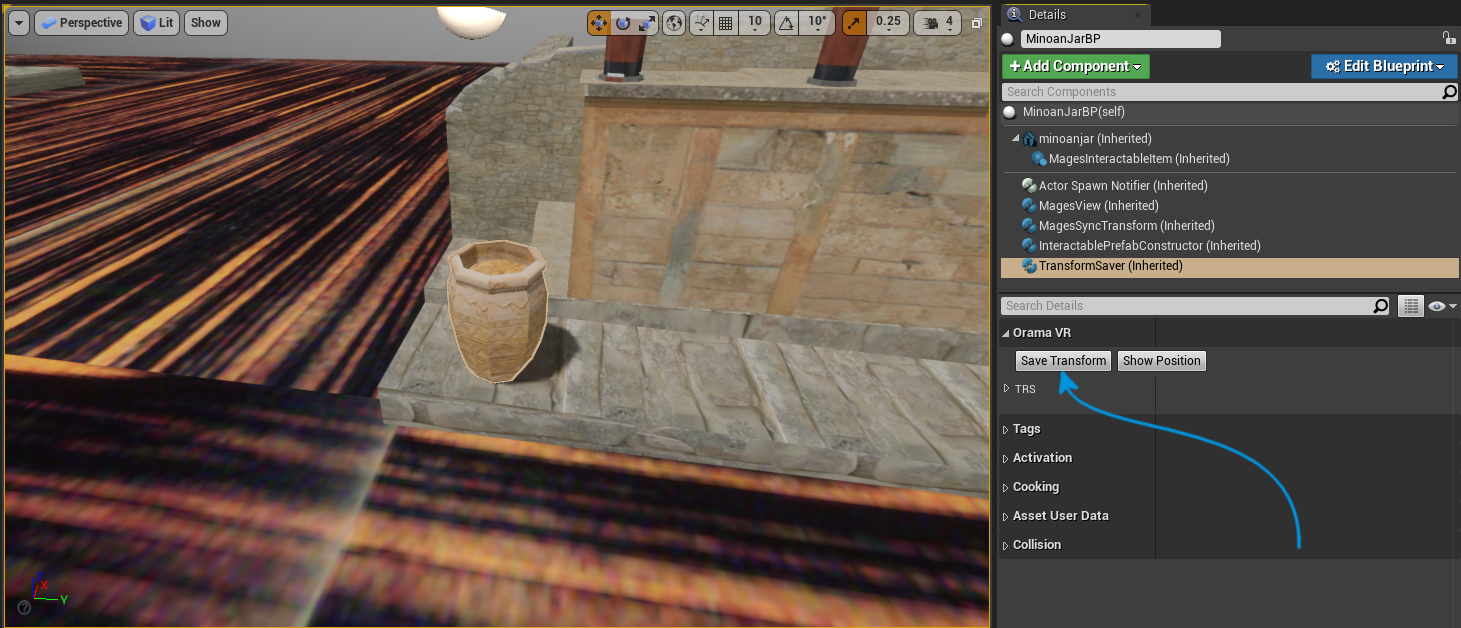
To save the current location, rotation and scale of the actor, have the blueprint selected in the scene, then select the Transform Saver component, and click on “Save Transform” in the details panel. This will save the transform of the current blueprint instance.
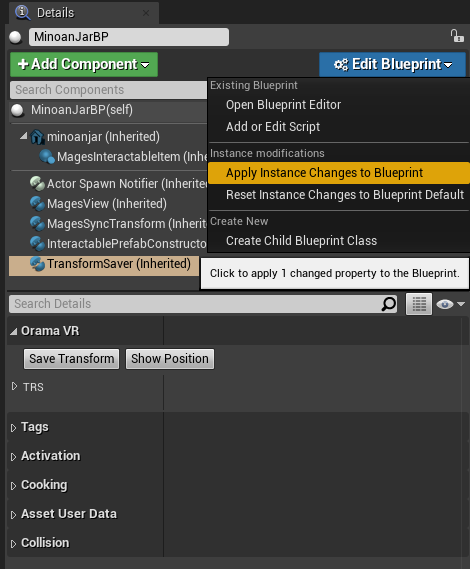
To apply it to the blueprint itself, click on “Edit Blueprint” and click “Apply Instance Changes to Blueprint Default”.
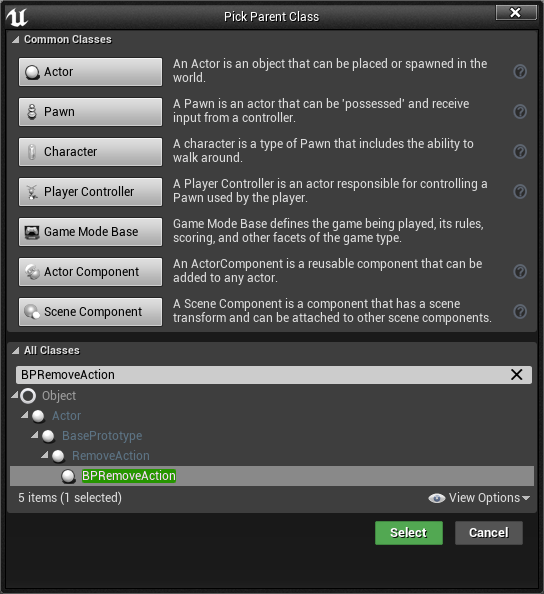
Create a new Blueprint deriving from BPRemoveAction:
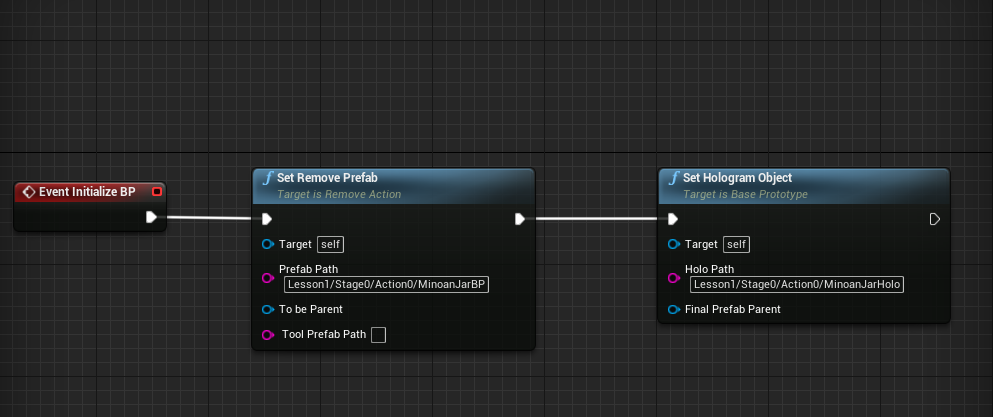
The graph below will spawn the interactable item:
Remove Object with Tools
In this case, we will remove a jar using a tool (the pliers) instead of our hands.
This time, we will generate one actor as seen below:
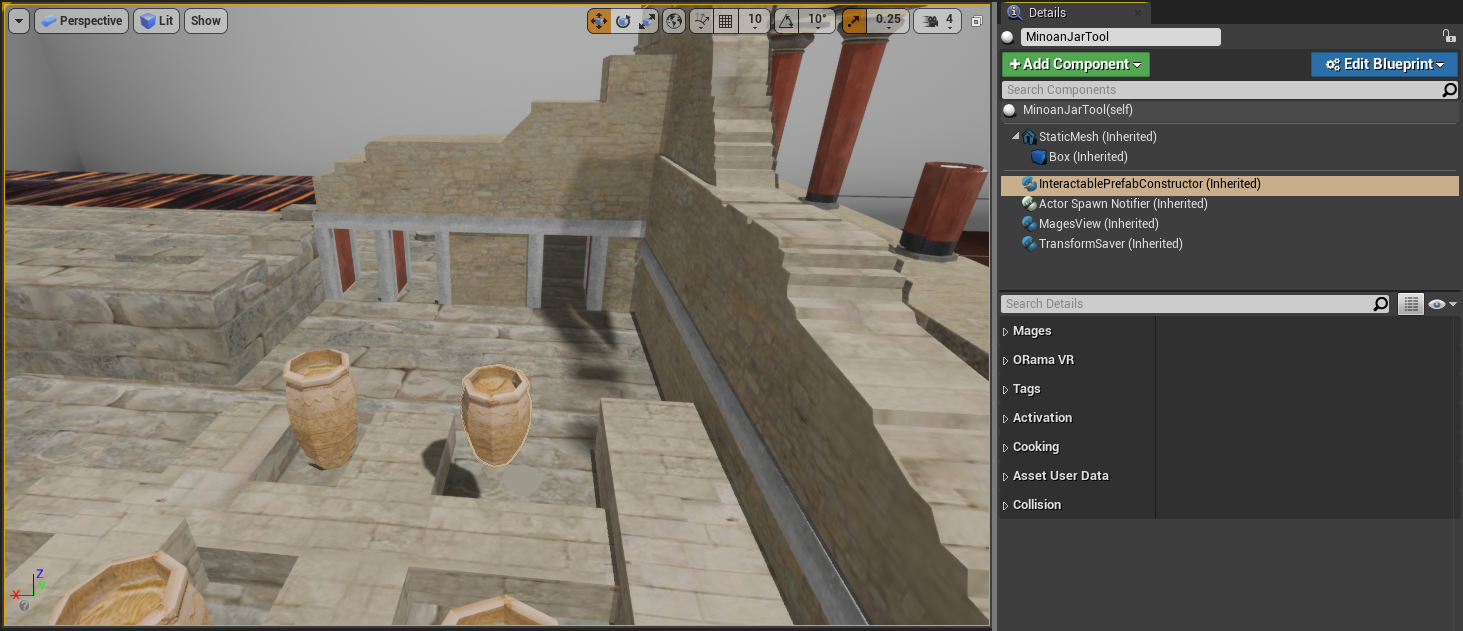
Now, we will configure our remove prefabs to be removed with the pliers tool.
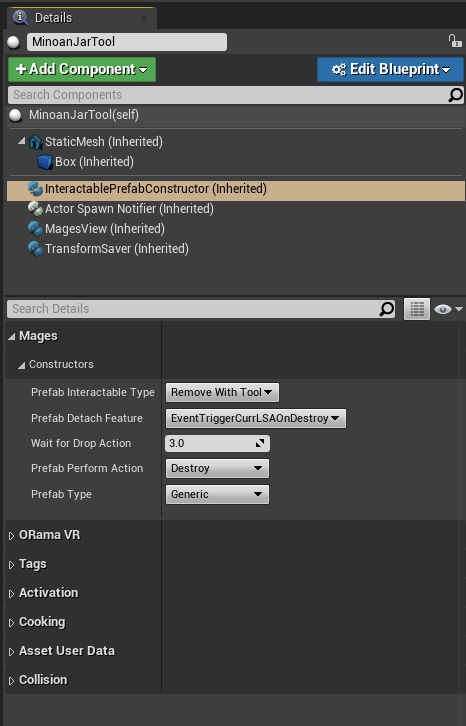
At the Interactable Prefab Constructor component of your actor:
Set the
Prefab Interactable TypetoRemove With ToolSet the
Prefab Detach FeaturetoEventTriggerCurrLSAOnDestroy
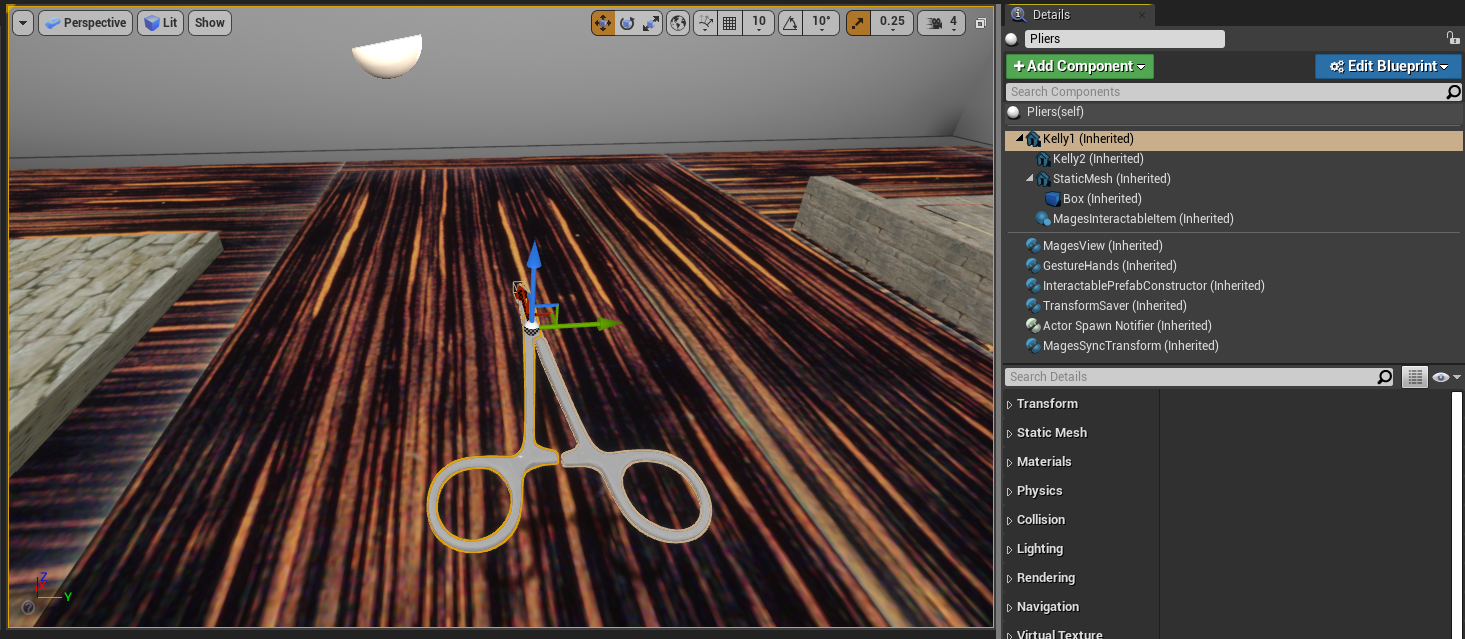
Will also generate the pliers actor. This actor must have the Gesture Hands component attached to it:
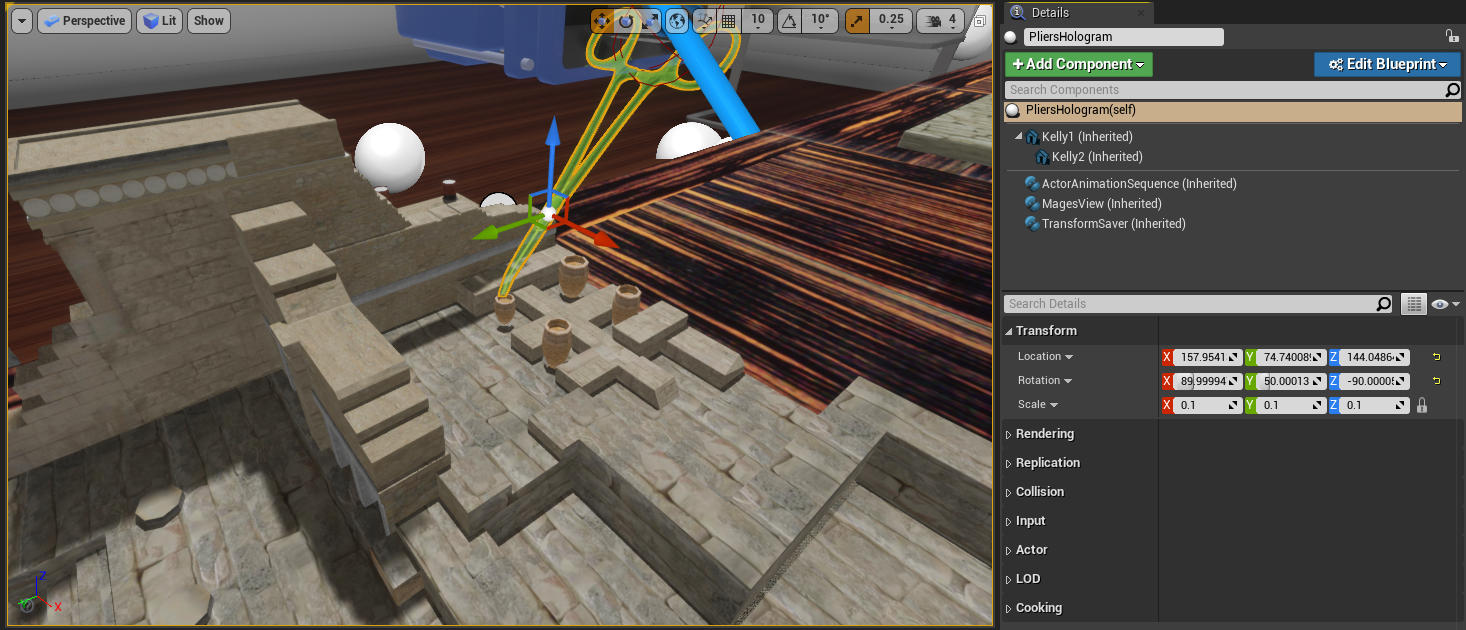
Additionally, we can create an animated hologram:
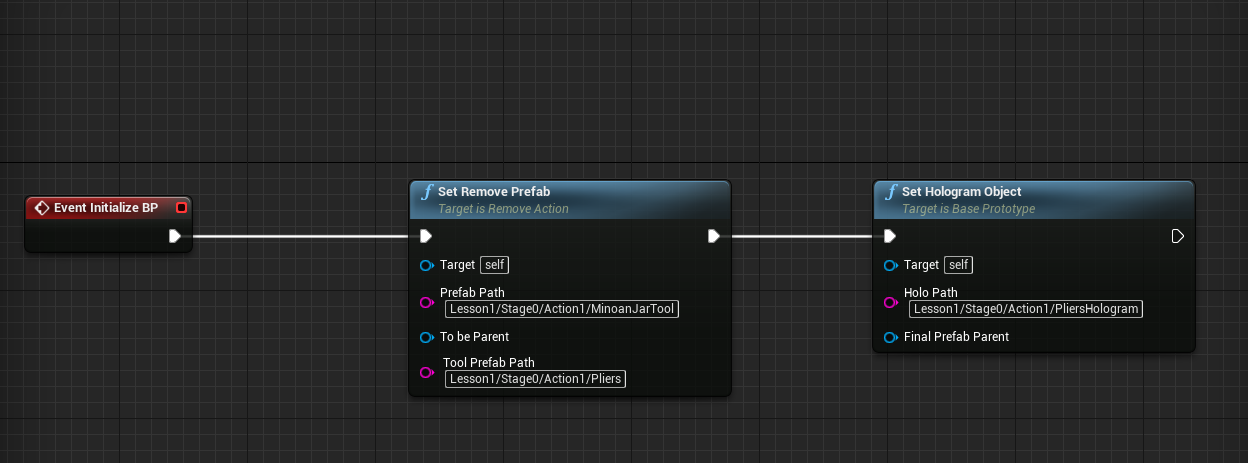
In this blueprint, we want to use the pliers in order to remove the jar, thus the graph will be the following: